
Current Location Button
The Current Location Button field fills in an address from where the user is right now, so field teams can log a location with one tap instead of typing it.
In short
- What it is: a button field that captures the user's current location as an address.
- How to add it: open the table, click New Field (or press F) and choose Current Location Button.
- Best for: visits, deliveries, inspections and any record that needs to say where something happened.
What is it
Typing an address on a phone in the middle of a visit is slow and error-prone. The Current Location Button field does it for you: the user taps the button and the record gets the address of where they are. AI apps can capture the address the same way.
How to access
- Open the table.
- Click New Field, or press F.
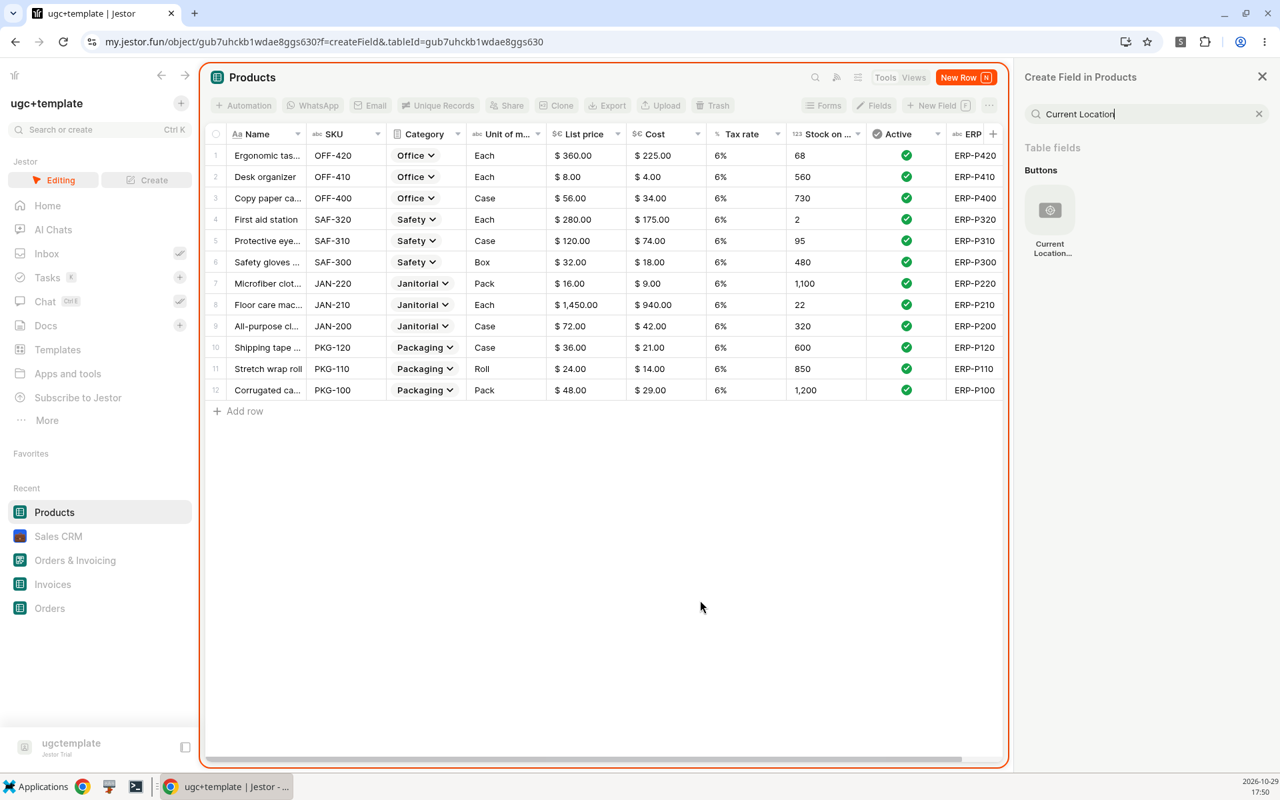
- In the panel, search for "Current Location" or open the Buttons group, and select Current Location Button. It is listed under the Buttons heading of the Create Field panel.
How to use
- Add the field to the table and give it a name, such as "Visit location".
- When filling in a record, click the button and allow location access if your device asks.
- The address of your current location is saved in the record.
Use cases
- Field visits: sales or service teams log where each visit happened.
- Deliveries: drivers confirm the delivery address on arrival.
- Inspections: inspectors record the place of each inspection without typing.
Keep in mind
- The user's device has to allow location access for the button to work.
- To type or search for an address instead, use the Address field.
Works in AI apps tooApps built with the AI App Builder can capture the user's address from their current location, the same way this field does. On mobile, the app no longer shows the location permission prompt every time.
Related pages
- Address: find addresses with autocomplete and save their coordinates.
- Maps: show locations on a map in your app.
- Buttons & Actions: the other button fields.
- Field types: every field type in Jestor.
FAQ
How do I capture the user's location in a record?
Add a Current Location Button field to the table. When the user clicks it, the address of their current location is saved.
What's the difference between this field and the Address field?
The Address field lets you type or search for an address. The Current Location Button fills it in from where the user is.
Can AI apps use the current location?
Yes. Apps built with the AI App Builder can capture the user's address from their current location.
Updated about 10 hours ago