
Automation
Automations in Jestor let you trigger actions automatically based on events in your tables — no code required. Each automation has a trigger (the event that starts it) and one or more actions (what happens as a result).
How to access Automations
Step 1
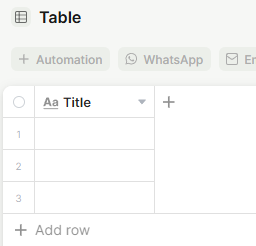
Open the table where you want to create the automation. In the table's top action bar, click + Automation.
Step 2
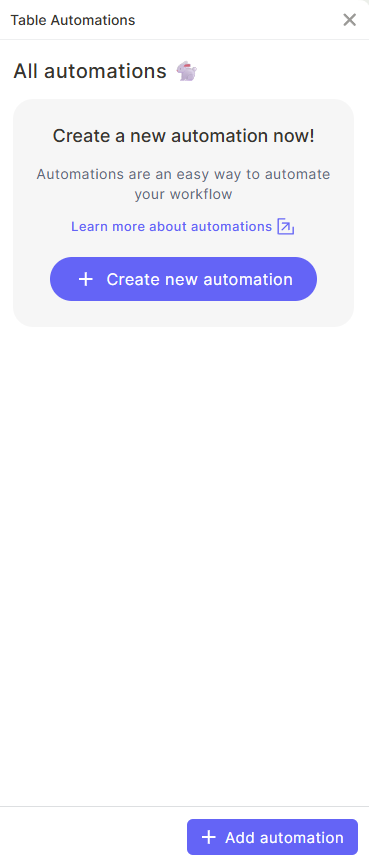
The Table Automations panel will open on the right side, listing all existing automations for that table. Click + Create new automation (or + Add automation at the bottom of the panel).
Step 3
The automation editor will open. At the top, you can rename your automation by clicking the pencil icon next to the default name.
Step 4
Under When, select the trigger — the event that will activate this automation. Example: When a new record is created.
Step 5
Under Do, click + Add action to define what should happen when the trigger fires. You can add multiple actions to a single automation.
Step 6
After configuring the trigger and all actions, click Create to save the automation.
What you can automate
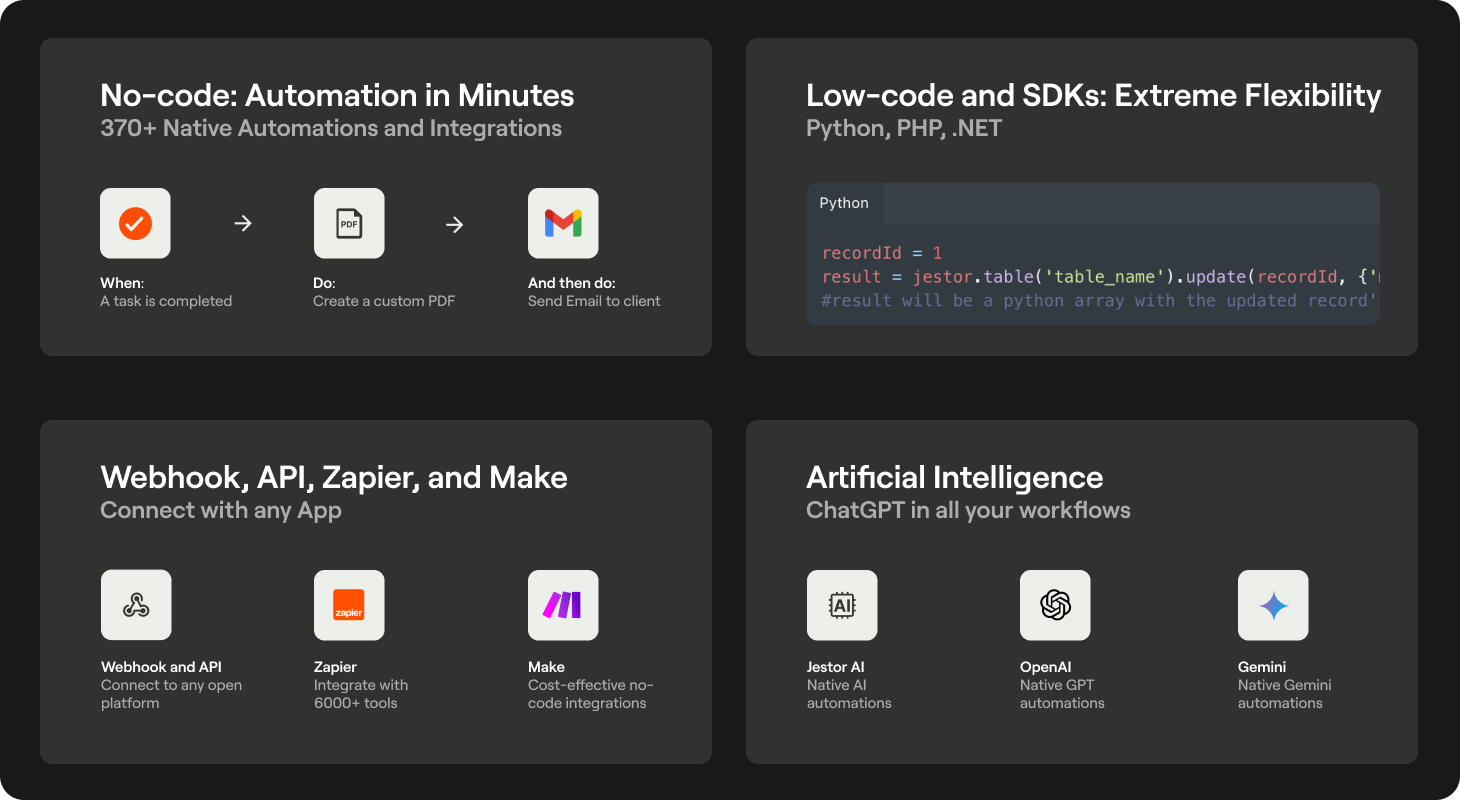
Jestor supports 400+ native no-code automations and integrations. You can:
- Send messages via Slack, Gmail, Outlook, Teams, WhatsApp, and more
- Create, update, or delete records across tables
- Send AI prompts to OpenAI ChatGPT or Google Gemini and save the response back to a field
- Trigger HTTP requests via Webhooks
- Connect with external tools via Zapier and Make
To browse all available actions, click + Add action inside any automation and use the search bar.
Integration options
No-code (400+ automations)
Native integrations with Slack, Gmail, Outlook, Teams, WhatsApp, and many more. Build full workflows without writing a single line of code.
Zapier and Make
Jestor is available on Zapier and Make, expanding your integration possibilities with thousands of external apps.
API
Jestor offers an open API, allowing any system with integration capabilities to connect with Jestor. See the full API documentation: https://docs.jestor.com/reference/getting-started-with-your-api
Webhooks
Create custom webhook automations or use the no-code automation builder to connect with external tools.
Low-code: Python, PHP, and .NET
Write custom scripts and build advanced logic directly within your workflows. See the low-code documentation: https://docs.jestor.com/docs/accessing-the-development-area
SDK: Python and .NET
Jestor provides SDKs for Python and .NET for building custom integrations.
Python: https://docs.jestor.com/docs/jestor-sdk-for-python
.NET: https://docs.jestor.com/docs/jestor-sdk-for-net-beta
AI: OpenAI ChatGPT, Google Gemini, and Native Features
Integrate AI into your automations to process text, generate content, and make decisions — all connected directly to your table data.
FAQ
1 — Where do I find all automations I've created?
Automations are stored inside each table. Open the table, click + Automation in the top bar, and the panel will list all automations for that table.
2 — Can one automation trigger another automation?
Yes, if an action in automation A modifies a record in a way that meets the trigger condition of automation B, automation B will run. Be careful to avoid infinite loops.
3 — Can I apply the same automation to multiple tables at once?
No. Each automation is created and managed inside a specific table. You need to recreate it in each table separately.
4 — Do automations run on existing records?
No. Automations only fire on events that happen after they are activated. Past records are not affected.
5 — Can I pause an automation without deleting it?
Yes. Inside the Table Automations panel, you can toggle an automation on or off without deleting it.
Updated 7 months ago