
Switch Button
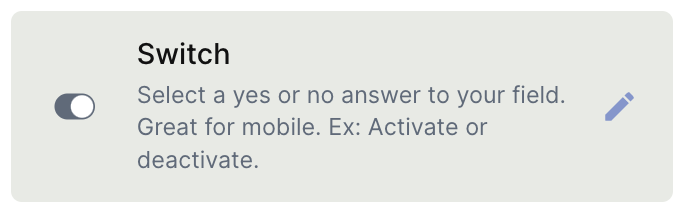
The Switch field stores a binary value — on or off — for each record, displayed as a toggle. It works the same way as a Checkbox but with a visual style better suited for mobile interfaces and touch interaction.
For instructions on how to access field types or how to add one, see Field Types.
Capabilities
- Store a true/false (on/off) value per record using a toggle control
- Set a default state — checked or unchecked — applied to new records automatically
- Mark the field as required to enforce interaction before saving
- Add a tooltip to guide users on how the field should be used
Configuration
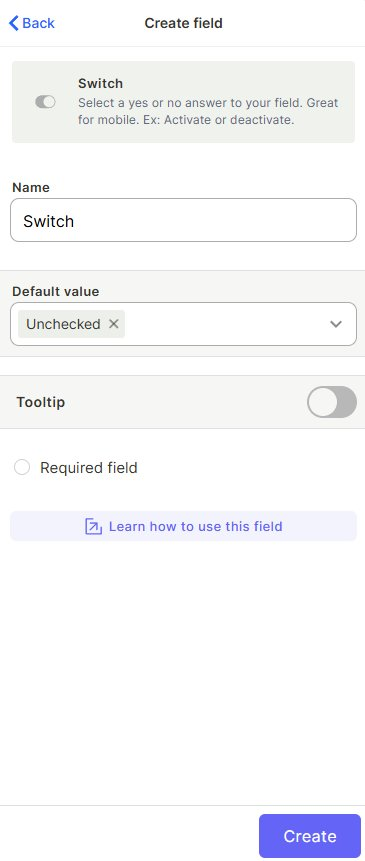
Name — Enter a label for the field that will appear in the table and on records.
Default value — Choose whether new records start with the switch Checked or Unchecked.
Tooltip — Enable to add a helper text that appears when a user hovers over the field, useful for guiding how the field should be filled.
Required field — Enable to make interacting with the switch mandatory before saving a record.
Use Cases and Examples
Feature activation — In a products or services table, use a switch to indicate whether a feature is active or inactive for a given item.
Mobile-friendly approvals — Use the switch as an easy-to-tap toggle for approving or rejecting records when accessing Jestor on a mobile device.
User permissions or access control — Track whether a user or entity has a certain permission enabled or disabled using a clear on/off toggle.
Keep in Mind
- The Switch field is functionally identical to the Checkbox field — the difference is purely visual. Both store a binary value.
- Marking the field as required does not force the switch to be in the on state — it only requires the user to have interacted with it before saving.
- The default value applies only to new records created after the field is configured. Existing records are not affected.
FAQ
1- What is the difference between Switch and Checkbox?
They store the same type of value — on/off or checked/unchecked. The Switch is displayed as a toggle, which is more intuitive on mobile devices. Choose based on the visual style that fits your interface best.
2- Can I use the Switch field in filters and automations?
Yes. You can filter records by the switch state and use it as a trigger condition or update target in automations.
3- Does the default value apply to existing records?
No. The default value only applies to new records created after the field is configured. Existing records remain unchanged.
Updated 6 months ago