
Text
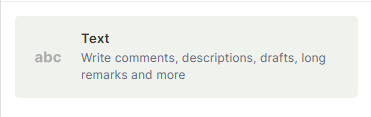
The Text field lets you store written information in a record. It supports three formats — short text, long text, and rich text — making it suitable for anything from a brief label to a full document.
For instructions on how to access field types or how to add one, see Field Types.
For information on character limits, see Character Limits for Field Types.
Capabilities
- Store short, single-line text values
- Store long, multi-line text content
- Write rich text documents with formatting options like bullet points, headers, links, code blocks, and quotes
- Use as a description, notes, or content field in any table
- Reference the field value in formulas and automations
How to add a Text field
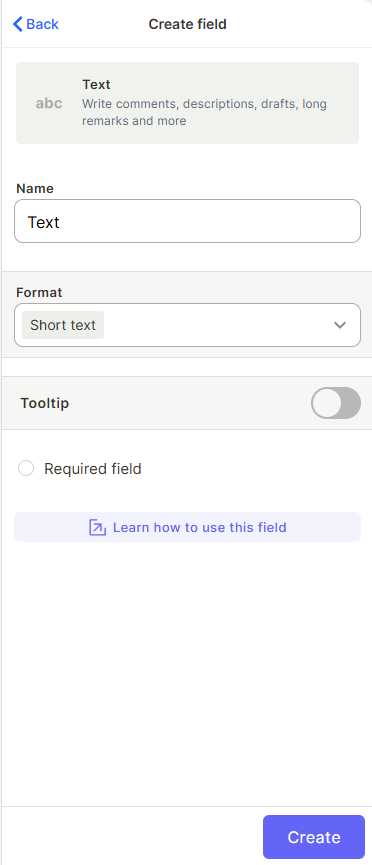
- Open your table and click + to add a new field.
- Select Text from the field type list.
- Enter a name for the field.
- Choose the format: Short text, Long text, or Rich text.
- Optionally mark the field as Required.
- Click Create.
Use Cases and Examples
Short text is best for brief, single-value entries:
- In a "Clients" table, a Short text field can store each client's ID or company name.
- In a "Products" table, it can hold a product SKU or category label.
Long text works well for detailed written content:
- In a "Clients" table, a Long text field can store a client's full address.
- In a "Sales" flow, it can hold additional notes or comments about a deal.
Rich text is ideal for structured or formatted content:
- In a "Products" table, it can store a customizable quote or product description with formatting.
- In a "Knowledge Base" table, it can hold full documentation articles with links and code blocks.
Keep in Mind
- The Short text format does not support line breaks or multi-line input — it is a single-line field.
- The Rich text format does not render its formatting inside the table cell view — formatting is only visible when the record is opened.
FAQ
1 — What is the difference between Short text, Long text, and Rich text?
Short text is a single-line input best for brief values. Long text allows multi-line plain text. Rich text adds a formatting editor that supports bold, lists, links, code blocks, and more.
2 — Can I use a Text field in a formula or automation?
Yes. Text field values can be referenced in Formula fields using text functions, and used as conditions or values in automations.
Updated 6 months ago