
Tags
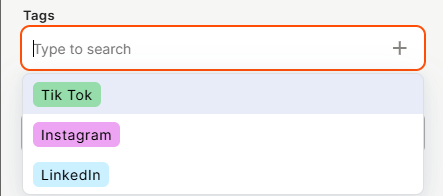
The Tags field lets you assign one or more colored labels to each record. Unlike single-selection fields, Tags allow multiple values per record and are visually distinguished by color, making it easy to categorize and scan records at a glance.
For instructions on how to access field types or how to add one, see Field Types.
Capabilities
- Create a custom list of tags, each with its own color
- Assign multiple tags to a single record
- Visually distinguish categories using color-coded labels
- Mark the field as required to enforce at least one tag before saving
- Add a tooltip to guide users on how to fill the field
Configuration
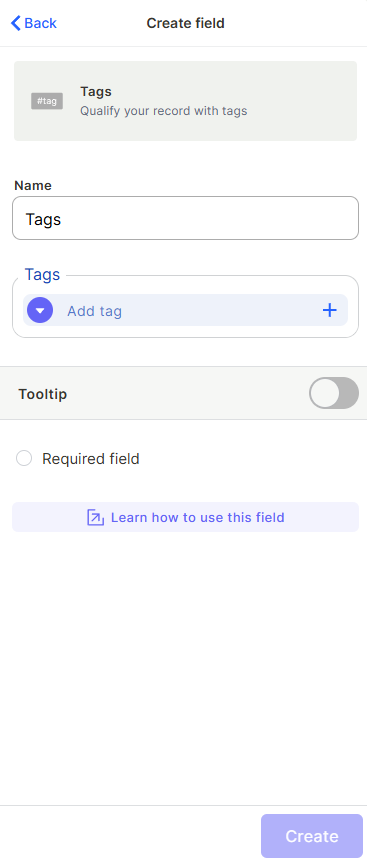
Name — Enter a label for the field that will appear in the table and on records.
Tags — Click + Add tag to create each tag. For every tag, you can set a name and choose a color. You can add as many tags as needed.
Tooltip — Enable to add a helper text that appears when a user hovers over the field, useful for guiding how the field should be filled.
Required field — Enable to make selecting at least one tag mandatory before saving a record.
Use Cases and Examples
Social media content planning — In a content calendar table, use tags like "Instagram", "LinkedIn", and "TikTok" to mark which platforms each post will be published to. A single post can carry multiple tags if it's cross-posted.
Bug tracker — Tag issues with categories like "UI", "Backend", "Performance", or "Security" to filter and prioritize work by type. Multiple tags let you classify bugs that span more than one area.
Product catalog — Tag products with attributes like "New", "On Sale", or "Featured" to control visibility and promotions. A single product can hold several tags at once.
Keep in Mind
- Tags do not have a fixed order or hierarchy — they are independent labels with no ranking between them.
- Deleting a tag from the field configuration does not automatically remove it from records that already have it assigned.
- The Tags field is not the same as the Single Option or Multi Option fields — it does not support Kanban stages or SLA tracking.
- Tags are display-only labels; they do not trigger automations or compute values by themselves.
FAQ
1- Can I assign more than one tag to the same record?
Yes. The Tags field allows multiple tags per record. Simply select as many tags as needed when editing a record.
2- Can I change a tag's color after creating it?
Yes. You can edit the field configuration at any time to update the name or color of any existing tag.
3- What happens to records if I delete a tag from the field settings?
Records that already have that tag assigned may retain it as orphaned data. It's recommended to clear the tag from existing records before deleting it from the configuration.
4- Is there a limit to how many tags I can create?
There is no set limit on the number of tags you can add to a Tags field.
5- Can I filter records by tag?
Yes. You can use the table filters to show only records that contain one or more specific tags.
Updated 6 months ago