
Field types
Each field(column) is unique with its own purposes
What is it
In Jestor, fields are the columns of your tables — each one is designed to store a specific type of data. Choosing the right field type ensures your data is properly structured, validated, and ready to be used in automations, filters, and views.
Jestor offers a wide variety of field types, from simple text and numbers to relationships between tables, formulas, and file attachments. Every field type has its own behavior, settings, and use cases.
How to use
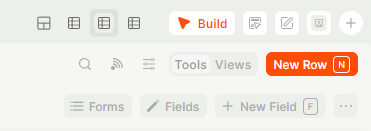
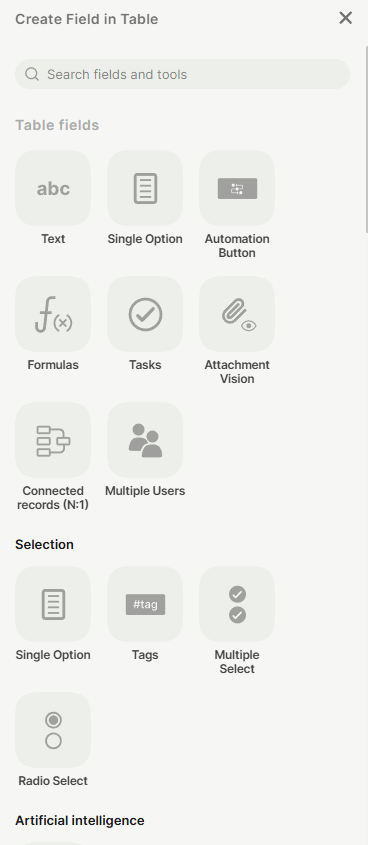
To add a new field, open your table and enter Build Mode by clicking the Build button or pressing B. Then click + New Field or press F and select the desired field type.
All Field Types
Below is a complete list of all available field types in Jestor, with links to their individual documentation pages:
- Add Connected
- Address
- Attachment
- Automation Button
- Bidirectional Connection (1:1)
- Button
- Car Plate
- Chat
- Checkbox
- Checklist
- Clone Record Button
- Connected Records
- Connected Table (N:M)
- Copy Record Link
- Created At
- Created By
- Currency
- Date
- Date and Time
- Date Range
- Exclude Record Button
- Favorite
- Formula
- Goal
- ID - CNPJ
- ID - CPF
- Image
- Link
- Link Button
- Lookup
- Multiple Select
- Multiple Users
- Number
- Open Record Button
- Percentage
- Phone Number
- Radio Select
- Random ID
- Record Attribution
- Record Database ID
- Roll-up
- Signature
- Single Option
- Switch Button
- Tags
- Tasks
- Text
- Time
- Time in a Status
- Time Since Creation
- Time Since Update
- Timer
- Title
- To-dos
- Updated At
- Updated By
- Update Link
- Users
- WhatsApp Indicator
- WhatsApp Message Button
Updated 6 months ago