
Car Plate
The Car Plate field stores vehicle license plate codes, limiting input to a 7-character format. It ensures consistent data entry for vehicle identification across your records.
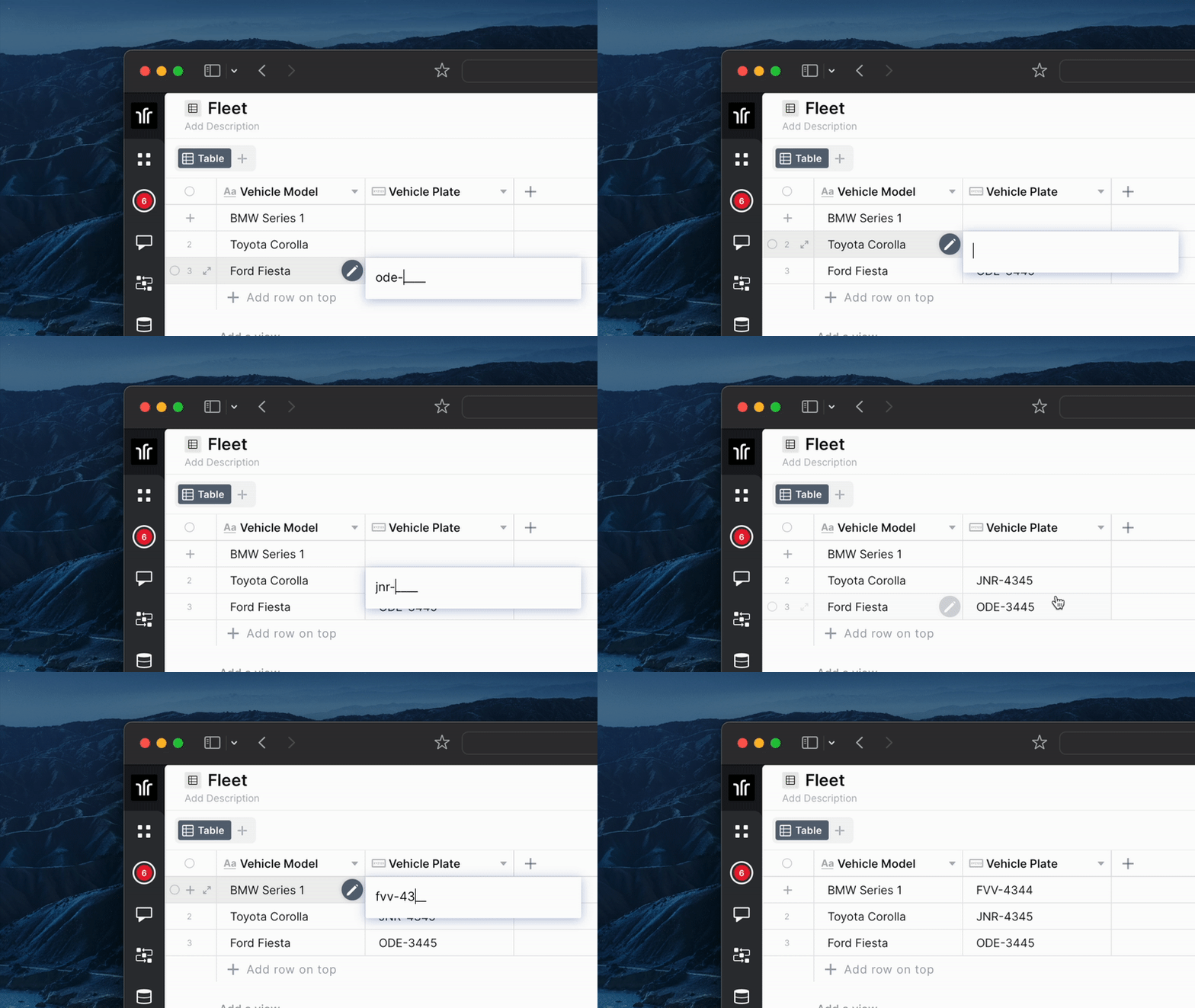
For instructions on how to access field types or how to add one, see Field Types.
Capabilities
- Store vehicle license plate codes in a standardized 7-character format
- Enforce the character limit to prevent inconsistent entries
- Mark the field as required to make it mandatory on record creation
- Add a tooltip to guide users on how to fill in the field
- Use the stored plate in automations, filters, and views for vehicle-related workflows
How to create a Car Plate field
Step 1 — In table mode, click the "+" icon at the end of the table headers.
Step 2 — Select Car Plate from the list of field types.
Step 3 — Set the field name and, if needed, toggle Required field to make it mandatory.
Step 4 — Click Create.
Use cases and examples
- Fleet management table — Track company vehicles by storing each vehicle's license plate for identification and reporting.
- Parking control table — Log plates of vehicles entering and leaving a facility to manage access and occupancy.
- Deliveries table — Associate each delivery with the vehicle assigned to it using the plate as a reference.
Keep in mind
- The field limits input to 7 characters — entries longer than that are not accepted.
- It does not validate whether the plate follows a specific country or regional format (e.g., Brazilian Mercosul or old ABC-1234 patterns).
- It does not connect to external vehicle databases or registries — it only stores the code you enter.
- It does not auto-format the plate with hyphens or spaces.
FAQ
1- Can I store plates from different countries with different formats?
Yes, but the field does not validate format rules. It only enforces the 7-character limit, so any plate that fits within that limit can be stored.
2- Does the field accept letters and numbers?
Yes. The Car Plate field accepts alphanumeric characters, which covers both old and Mercosul plate formats.
3- Can I make the Car Plate field required?
Yes. When creating or editing the field, toggle the Required field option so users must fill it in before saving a record.
4- Can I use the Car Plate field in automations?
Yes. The stored plate value can be referenced in automation conditions and actions, such as filtering records or sending notifications based on a specific vehicle.
Updated 6 months ago