
Appearance
Appearance is where you personalize your theme and display settings in Jestor.
This page covers the Appearance section of Settings. For instructions on how to access Settings, see the Settings page.
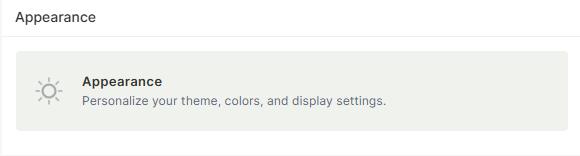
Capabilities
- Switch between light mode, dark mode, or follow your system theme
- Configure the scroll bar thickness
- Set the default behavior for how PDFs open across your workspace
Fields
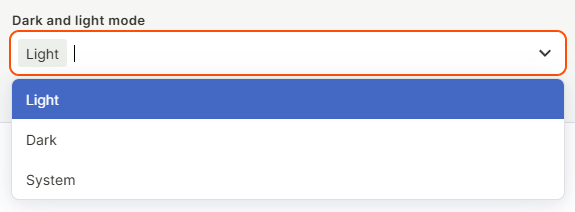
Dark and light mode — Choose between Light, Dark, or System mode for your Jestor interface. System mode automatically follows your device's current theme setting. This setting applies to your account only.
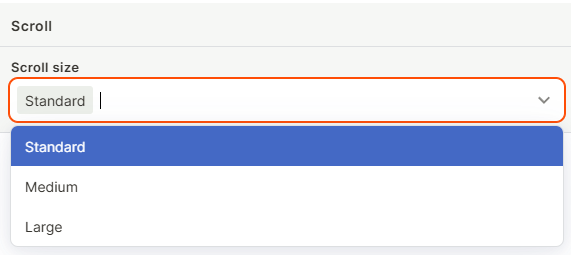
Scroll Bar Size — Set how thick the scroll bar appears throughout Jestor. Options are:
Standard— minimal scroll bar, same as the original behavior
Medium — slightly thicker, easier to click and drag
Large — thick scroll bar, hardest to miss (recommended for Windows)
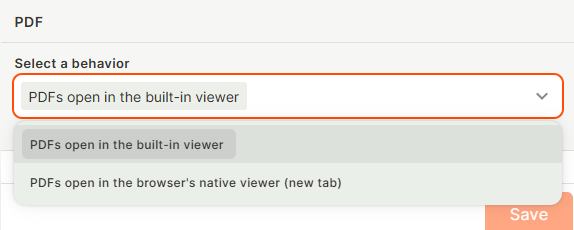
Select a behavior (PDF): Sets the default way PDF files open when accessed anywhere in your workspace. Options are:
- PDFs open in the built-in viewer: files open inline in a preview, without leaving the page
- PDFs open in a new tab: files open in a separate browser tab
Keep in mind
- Switching between light and dark mode only affects your account. Other users in the workspace are not impacted.
- Scroll bar size is also a per-user setting. Changing it does not affect other users in the workspace.
- The PDF behavior setting only changes how PDF files open by default. It does not change how images or videos behave, those always show the same hover Quick Actions regardless of this setting.
- This PDF setting is a personal preference, not a workspace-wide rule. It does not force the same behavior for other users.
- Using a Quick Action (like Open in new tab) on a specific file is a one-time action, it does not change or override your saved PDF default.
FAQ
1- Can an admin force all users to use a specific theme?
No. Each user controls their own theme preference individually.
2- Where is the fastest way to change my theme?
Open Settings with Cmd + . (Mac) or Ctrl + . (Windows/Linux), go to Appearance, and change the mode directly from there.
3- Does the PDF behavior setting apply to every user in my workspace?
No. It's a personal setting. Each user chooses their own default independently under their own Appearance settings.
4- If I set PDFs to open in the built-in viewer, can I still open one in a new tab manually?
Yes. You can hover over any file and use the Quick Action to open it in a new tab at any time, regardless of your saved default.
5- Does the PDF setting also control how images and videos open?
No. It only controls PDF files. Images and videos always use the same hover Quick Actions (Download, Open in new tab, Preview).
Updated about 2 months ago