
Record Attribution
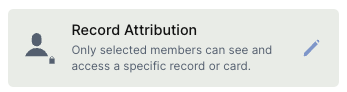
The Record Attribution field adds user-specific access rules to records and cards. Only members explicitly attributed to a record can see and interact with it — with no complex setup required.
For instructions on how to access field types or how to add one, see Field Types.
Capabilities
- Restrict record and card visibility to attributed members only
- Automatically attribute records to the user who created them
- Apply access rules with a single field, no additional configuration needed
- Supports tooltip configuration
How it works
When a Record Attribution field is added to a table, Jestor checks each user's seat type before applying access rules. Users with a member seat can only see records they are attributed to. Users with a builder seat bypass this restriction and can access all records regardless of attribution.
Options
Automatically add Created by
When enabled, Jestor automatically attributes a record to the user who created it. For example, if a member submits a form, they will be able to see and access their own record without needing manual attribution.
Tooltip
Adds a short description visible on hover, useful for guiding users on how to use the field.
Use cases and examples
Internal request portals — In a support or IT request table, each employee can only see their own tickets, while the support team (builders) has full visibility.
Client-facing forms — When clients submit records through a form, they can only view and track their own submissions, keeping data isolated per client.
HR processes — In onboarding or feedback tables, each collaborator can only access their own records, ensuring privacy across the team.
Keep in mind
- Record Attribution does not affect builder seats — users with builder access will always see all records, regardless of attribution settings.
- It does not provide complex or role-based access control. It is a lightweight permissioning tool not recommended for advanced access management scenarios.
- It does not hide the table itself — only individual records are restricted. Members can still see the table structure.
- The field does not control edit permissions, only visibility. Attributed members can view their records, but edit access depends on your broader app and table settings.
FAQ
1- Does Record Attribution work for builders?
No. Builder seats bypass attribution rules and can see all records in the table. Attribution rules apply only to member seats.
2- What happens to records that have no attributed user?
Members will not be able to see records with no attribution. Only builders will have access to unattributed records.
3- Can I attribute more than one user to the same record?
Yes. You can manually assign multiple members to a record, and all of them will be able to see it.
4- Is Record Attribution recommended for advanced access control?
No. It is a lightweight permissioning option designed for simple use cases. For complex access management — such as role-based rules or restricting builder visibility — consider other permissioning approaches in Jestor.
Updated 6 months ago