
Copy Record Link
This field adds a button to each record that, when clicked, copies a shareable link to that specific record to the user's clipboard.
For instructions on how to access field types or how to add one, see Field Types.
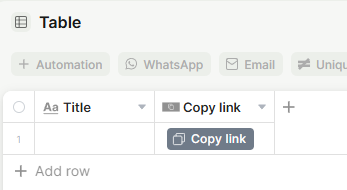
Capabilities
- Copy a direct link to any record with a single click
- Share record links with other users who have access to the app
- Customize the button with a label, icon, color, and optional tooltip
- Add multiple Copy Record Link fields to the same table with different styles
Use Cases and Examples
- Sales teams can copy a client record link and paste it into a Slack message or email so a colleague can jump directly to that record without searching for it.
- Support teams can share a ticket record link with a manager or collaborator who needs to review or update the record, keeping communication tied to the right context.
- Project managers can copy a task or project record link to reference it in meeting notes, external documents, or internal wikis.
- Any team can use multiple Copy Record Link buttons with different styles to distinguish between sharing flows — for example, one button styled for internal sharing and another for a different audience.
Field options
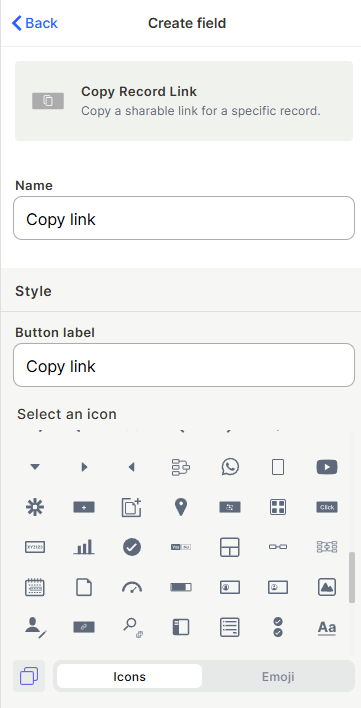
Name — The internal field name shown in the table header.
Button label — The text displayed on the button. Defaults to "Copy link".
Icon — An optional icon shown on the button alongside the label.
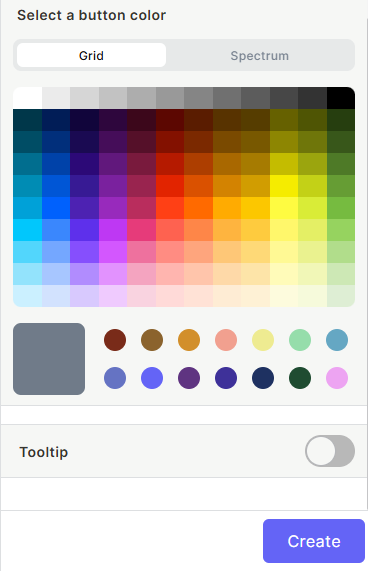
Button color — The background color of the button. Choose from a color grid or use the spectrum picker for a custom color.
Tooltip — When enabled, displays a short description when the user hovers over the button.
How it works
When a user clicks the button in a record row, the link to that record is copied to their clipboard. They can then paste and share it with anyone who has access to the app.
Keep in mind
- The copied link does not bypass access permissions — recipients must have permission to view the record in order to open it.
- The button does not send or share the link automatically; it only copies it to the clipboard.
- There is no confirmation message or visual indication that the link was copied beyond the browser's native clipboard behavior.
FAQ
1-Can I customize what the link points to, like a specific view or tab?
No. The link always points to the default record detail view.
2-Does the link expire?
No. Record links remain valid as long as the record exists and the recipient has access.
3-Can I have more than one Copy Record Link button in the same table?
Yes. You can add multiple fields of this type with different labels or styles if needed.
Updated 7 months ago