
Signature
The Signature field lets users draw a signature directly in a record using their cursor or finger. The signature is saved as an image and can be downloaded.
For instructions on how to access field types or how to add one, see Field Types.
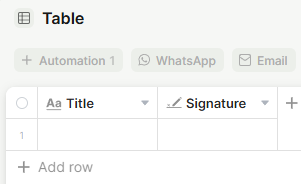
Use Cases and Examples
- Sales teams can collect a client's signature directly on a contract or proposal record, keeping the approval tied to the relevant record in Jestor.
- HR teams can require a signature on onboarding forms to confirm that an employee has reviewed and acknowledged a document.
- Operations teams can use the Required field option on delivery or handoff records to ensure no record is closed without a sign-off.
- Service teams can capture a customer signature at the end of a service visit record, then include it in a PDF export sent as a receipt or confirmation.
Field options
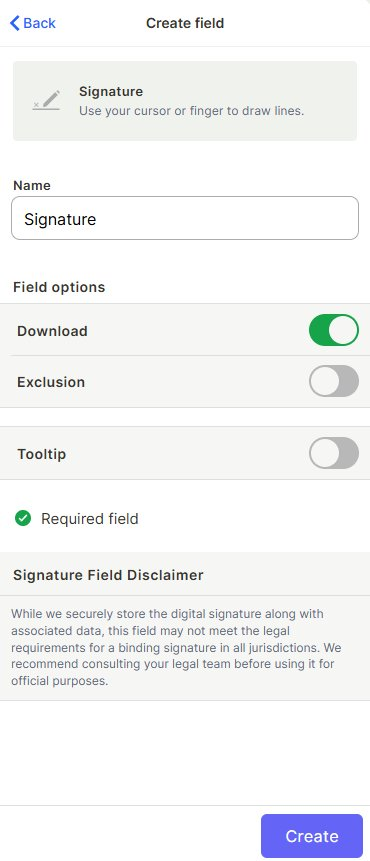
Download — When enabled, users can download the signature image from the record. Enabled by default.
Exclusion — When enabled, users can exclude this field from the record view.
Tooltip — When enabled, displays a short helper text next to the field label in the record view.
Required field — When enabled, the record cannot be saved without a signature.
Keep in mind
- This field stores a digital drawing — it is not a legally binding signature in all jurisdictions. Consult your legal team before using it for official or contractual purposes.
- The signature is saved as an image; it cannot be parsed, searched, or validated programmatically.
FAQ
1-Can I use the Signature field in documents or PDF exports?
Yes, if your document template references this field, the signature image will be included in the export.
2-Is the signature stored securely?
Yes, Jestor securely stores the digital signature along with associated metadata.
3-Can I make the field required so records can't be submitted without a signature?
Yes, enable the Required field option when creating or editing the field.
Updated 7 months ago