
Percentage
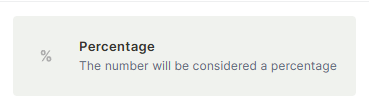
The Percentage field stores a numeric value and automatically displays a "%" sign after it. It is used to represent rates, ratios, completion levels, and any other metric expressed as a percentage.
For instructions on how to access field types or how to add one, see Field Types.
Capabilities
- Store numeric values displayed with a "%" suffix
- Use the value in Formula fields for percentage-based calculations
- Filter and sort records by percentage value
- Reference the field in automations as a condition or output value
- Track completion rates, tax rates, discounts, and other ratio-based metrics
How to add a Percentage field
- Open your table and click + to add a new field.
- Select Percentage from the field type list.
- Enter a name for the field.
- Optionally mark the field as Required.
- Click Create.
Use Cases and Examples
- In a "Projects" table, a Percentage field can track the completion rate of each project.
- In a "Financial Statement" table, it can store the tax rate applied to each transaction.
- In a "Sales" flow, it can hold the discount percentage offered on a deal.
- In a "Campaigns" table, it can show the conversion rate of a marketing campaign.
Keep in Mind
- The "%" symbol is display-only — the stored value is a plain number. Entering "50" displays as "50%", not "0.5". The field does not divide the value by 100.
- The field does not enforce a range of 0 to 100 — values above 100 or below 0 are accepted.
FAQ
1 — Does entering "50" in the field mean 50% or 0.5%?
It means 50%. The field appends "%" to whatever number you enter without any conversion. If your formula returns 0.5 for 50%, multiply by 100 before storing it here.
2 — Can I use a Percentage field in a formula or automation?
Yes. The stored value is a plain number and can be used in Formula fields normally. In automations, you can use it as a condition (e.g., trigger when completion reaches 100) or as a value in actions.
Updated 6 months ago