
Update link
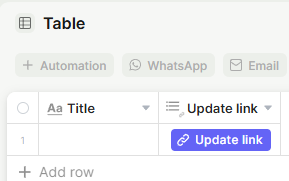
This field adds a button to a table record that opens or copies a link to a pre-filled update form for that record. It's useful for sharing a direct link so someone can edit a specific record without navigating through the app.
For instructions on how to access field types or how to add one, see Field Types.
Capabilities
- Generate a shareable link to the update form of any record in the table
- Choose between copying the link to the clipboard or opening the form directly in a new browser tab
- Point the link to an app page, the table's default form, or a public form
- Customize the button with a label, icon, color, and optional tooltip
Use Cases and Examples
- Sales teams can copy a record's update link and send it to a client so they can fill in or review their own information without needing full access to the table.
- Operations teams can place an "Open form" button in the table view so collaborators can jump directly into editing a specific record from a list, without navigating through the app manually.
- Support teams can share the update link with a customer to let them update their ticket details or confirm information through a public form.
- Admins can create two separate Update Link fields for the same record — one set to copy the link and one to open it — to cover both sharing and quick-access workflows.
Field Type
Name — The internal name of the field.
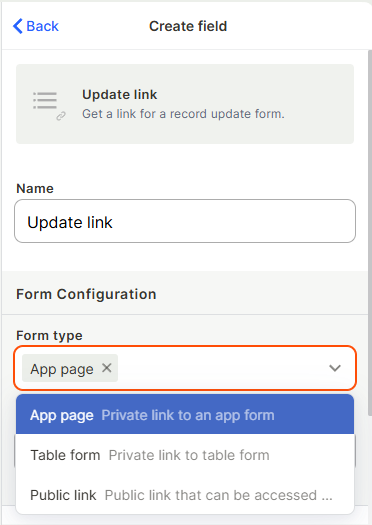
Form type — Choose the type of form the link will point to:
- App page — The form is located inside an app. When selected, a Select app field appears so you can choose which app contains the form.
- Table form — Uses the table's default form. No additional app selection is needed.
- Public link — Uses a public form you created
Select app (optional) — Choose the app where the update form is located.
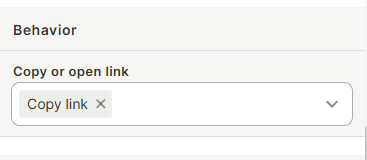
Copy or open link — Define what happens when the button is clicked:
- Copy link — Copies the record's update link to the clipboard.
- Open link — Opens the update form in a new browser tab.
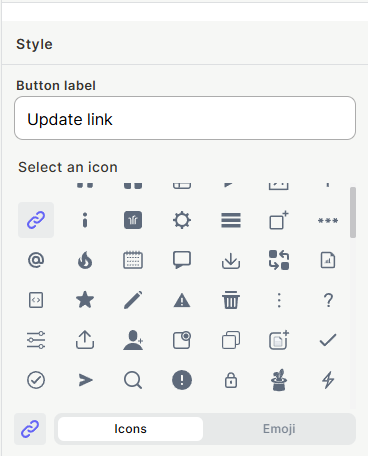
Button label — The text displayed on the button.
Select an icon — Choose an icon or emoji to display alongside the button label.
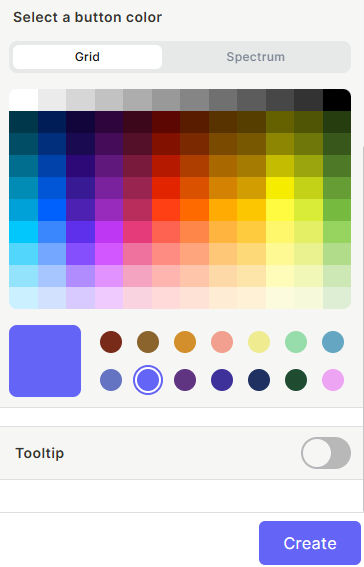
Select a button color — Pick a color for the button using the Grid (preset swatches) or Spectrum (full color picker) view.
Tooltip (optional) — Enable a tooltip that appears when hovering over the button.
Keep in mind
- The link points to the update form of the specific record — it does not create a new record.
- Copying or opening the link does not send it automatically to anyone; you still need to share it manually.
- Changing the "Copy or open link" setting changes the button behavior for all records in that field, not per record.
FAQ
1-Can I customize the link destination to a specific field view or section of the form?
No, the link opens the full update form for the record as configured in the selected app.
2-Will the link work for users who don't have access to the app?
Only if you select public link under form configuration
3-Can I use both "Copy link" and "Open link" in the same field?
No, each Update link field has a single behavior. You can create two separate Update link fields if you need both behaviors.
Updated 7 months ago