
Language & Region
Language & Region is where you configure language, time zone, and currency preferences for your account and workspace.
This page covers the Language & Region section of Settings. For instructions on how to access Settings, see the Settings page.
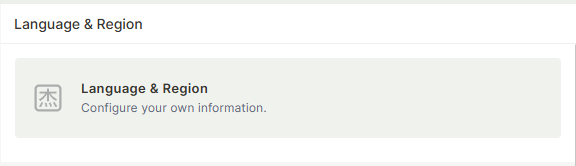
Capabilities
- Set your personal display language
- Define the default language for the workspace and system operations
- Configure the workspace time zone
- Set the default currency symbol
Fields
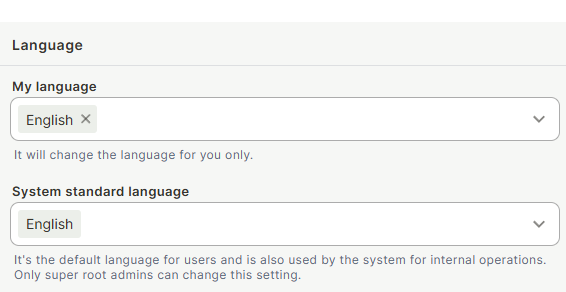
My language — The display language for your account only. Changing this does not affect other users.
System standard language — The default language applied to all users who haven't set a personal language, and used by the system for internal operations. Only super root admins can change this setting.
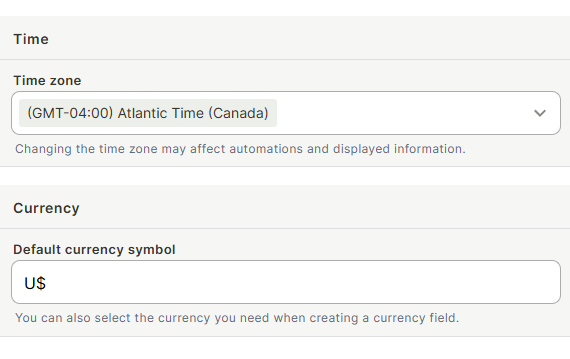
Time zone — The time zone used to display dates and times across the workspace. Changing this may affect how automations are triggered and how date/time information is displayed.
Default currency symbol — The currency symbol pre-filled when creating currency fields (e.g., R$, $, €). You can still choose a different currency on a per-field basis when creating a currency field.
Keep in mind
- My language only changes the interface for you. It does not change the language other users see.
- Changing the Time zone can affect automation schedules and the way date/time values are displayed — review your automations after making this change.
FAQ
1- Can regular users change the system standard language?
No. Only super root admins can change the system standard language.
2- If I change the default currency symbol, will it update existing currency fields?
No. The default currency symbol applies only to new currency fields created after the change. Existing fields are not affected.
Updated 6 months ago