
Responses and Success Page
Responses and Success Page groups two settings that control what happens after a user submits the form: whether they receive a copy of their response, and what they see on screen once the form is completed.
Capabilities
- Send response copies to users after submission
- Restrict response copies to logged-in users only
- Display a custom success message after submission
- Redirect users to a specific URL after submission
- Customize the label of the submit button
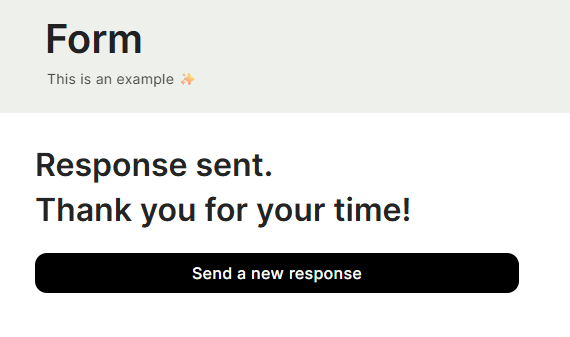
- Allow users to submit another response after completing the form
How to configure
Form Responses
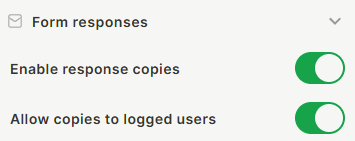
Enable response copies — Turn this toggle on to send users a copy of their submitted response. When enabled, the Allow copies to logged users toggle becomes available.
Allow copies to logged users — When enabled, response copies are only sent to users who are logged in to the workspace. Turn this off if the form is public and you want all respondents to receive a copy regardless of login status.
Success Page
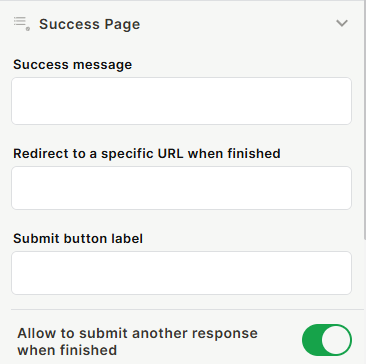
Success message — Type the message that appears to the user after they submit the form. Use this to confirm the submission, set expectations, or thank the user.
Redirect to a specific URL when finished — Enter a URL to automatically redirect the user to another page after submission. If both a success message and a redirect URL are set, the redirect takes priority.
Submit button label — Customize the text displayed on the form's submit button. If left empty, the default label is used.
Allow to submit another response when finished — When enabled, a button appears on the success screen letting the user submit a new response without navigating away.
Keep in Mind
- If a redirect URL is configured, the user may not see the success message — they will be taken to the URL immediately after submission.
- Response copies are sent based on the toggle state at the time of submission. Changing the setting after submissions have already been made does not affect past responses.
FAQ
1 — What does the response copy contain?
The copy includes the data the user submitted in the form. The exact format depends on the form configuration and the fields included.
2 — If I leave the success message empty, what does the user see?
The form will display a default confirmation screen. To control exactly what users see, fill in the success message field.
3 — Can I use both a success message and a redirect URL at the same time?
Setting both is possible, but the redirect will take the user away from the form immediately, so the success message may not be seen. It is recommended to use one or the other.
Updated 15 days ago